
 Fork on Github
The interface
Open the route you registered (/storia by default) to get the catalog of your interfaces.
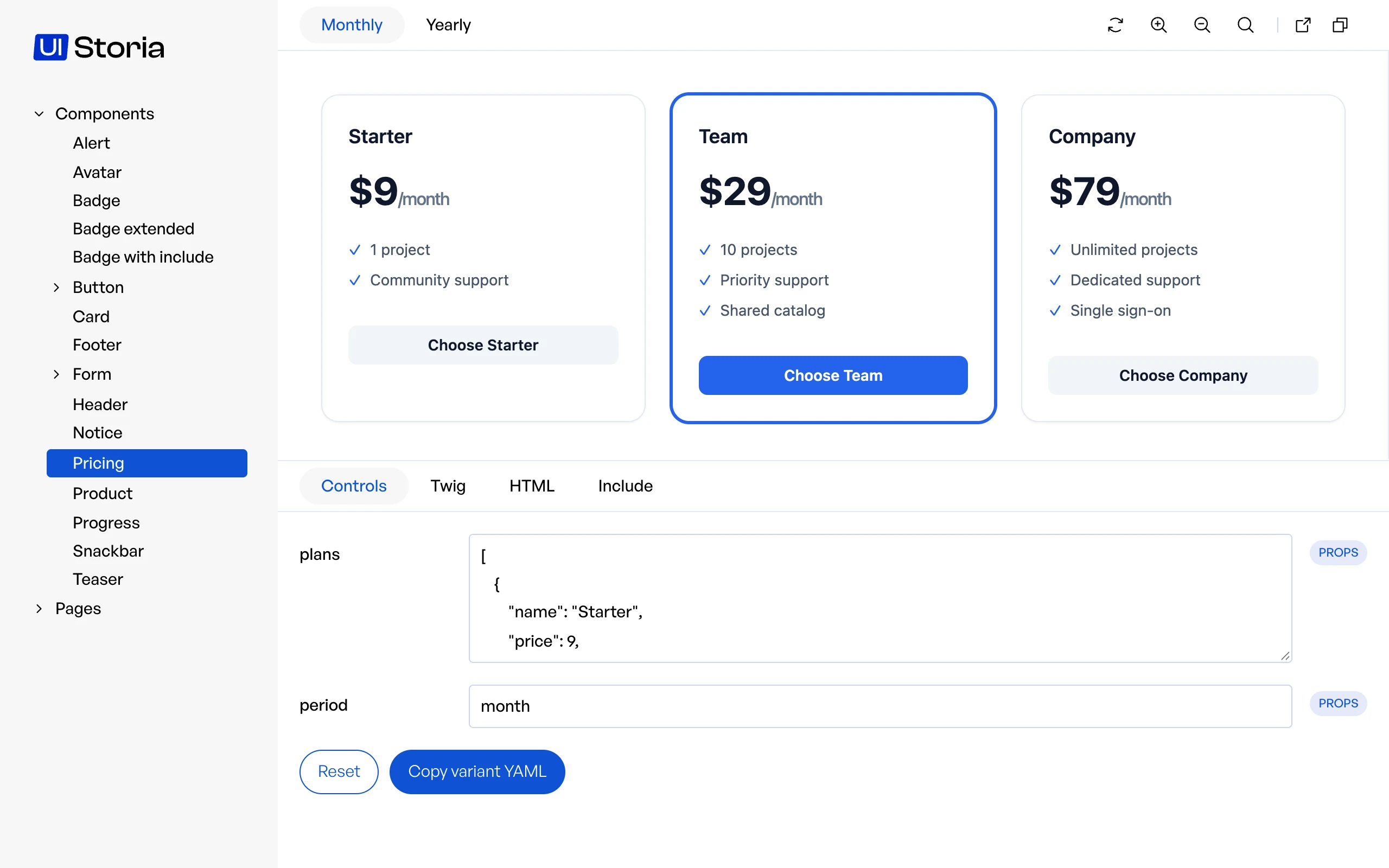
Sidebar
The sidebar lists the views found in the storia/components and storia/pages folders. Sub-folders become collapsible groups. Labels are deduced from the file names: buttonGroup.yaml is displayed as "Button group".
Drag the separator between the sidebar and the content to resize it.
Variants
The tabs on top of the preview are the variants of the current view. The selected variant is part of the URL (?variant=large), so you can share a link to it.
Preview actions
The actions on the right of the variants act on the preview:
| Action | What it does |
|---|---|
| Refresh | Reloads the preview |
| Zoom in | Enlarges the preview |
| Zoom out | Shrinks the preview |
| Zoom 100% | Resets the zoom |
| Iframe | Opens the preview alone in a new tab, without the interface |
| Copy | Copies the address of the current page |
The preview is rendered in an iframe, with the styles and scripts of your application: see Load your styles and scripts. Drag the vertical separator on its right to test your component at another width.
Code tabs
Under the preview, the tabs show what is rendered for the current variant. Each code block has a button to copy it.
| Tab | Content |
|---|---|
| Controls | Edit the arguments of the variant and see the result, see Controls |
| Twig | The Twig source of the template or component |
| HTML | The HTML generated by the variant |
| Include | Code to paste in your templates to use the component with the arguments of the variant (components only) |
| Notes | The Markdown file next to the YAML file, see Notes |
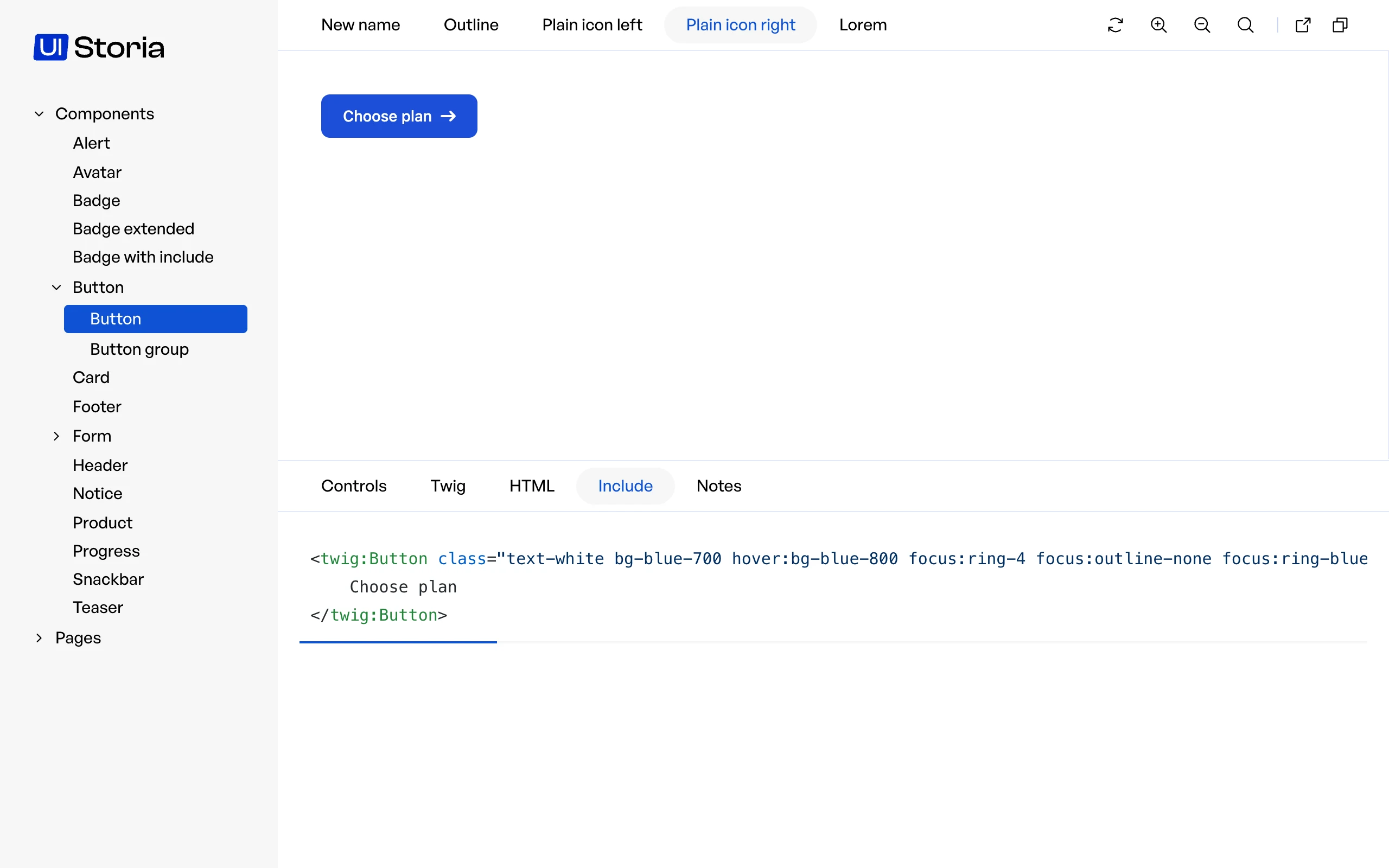
The Controls, Include and Notes tabs only appear when the view has something to show in them. Drag the horizontal separator between the preview and the tabs to give more room to one or the other.
Views without variants
A view that defines no variant is listed in the sidebar, but there is nothing to preview. Add at least one variant: storia:test reports a view without variants as an error in CI.