
 Fork on Github
Controls
The Controls tab, next to Twig, HTML and Include, lets you change the arguments of the current variant and see the result immediately, without editing the YAML file. Controls are deduced automatically:
| Source | Where the controls come from |
|---|---|
props |
the {% props %} tag of the component template (names and default values) |
class |
the public properties and the mount() parameters of the component PHP class (types, enums) |
types |
the {% types %} tag of a page template |
yaml |
the args of the variant, typed by their value |
A component with {% props title = 'Card title', count = 3, highlighted = false %} gets three controls, even if its YAML file describes no argument.
An argument written in the YAML file replaces the default value of the prop with the same name.
The widget is deduced from the value or the PHP type:
| Widget | When |
|---|---|
checkbox |
a boolean |
number |
an integer or a float |
text |
a string |
textarea |
a string with several lines, or longer than 80 characters |
color |
a string like #1a2b3c |
date |
a property typed \DateTimeInterface, \DateTimeImmutable or \DateTime |
radio |
a backed enum with 4 cases or fewer |
select |
a backed enum with more cases |
json |
an array, edited as JSON |
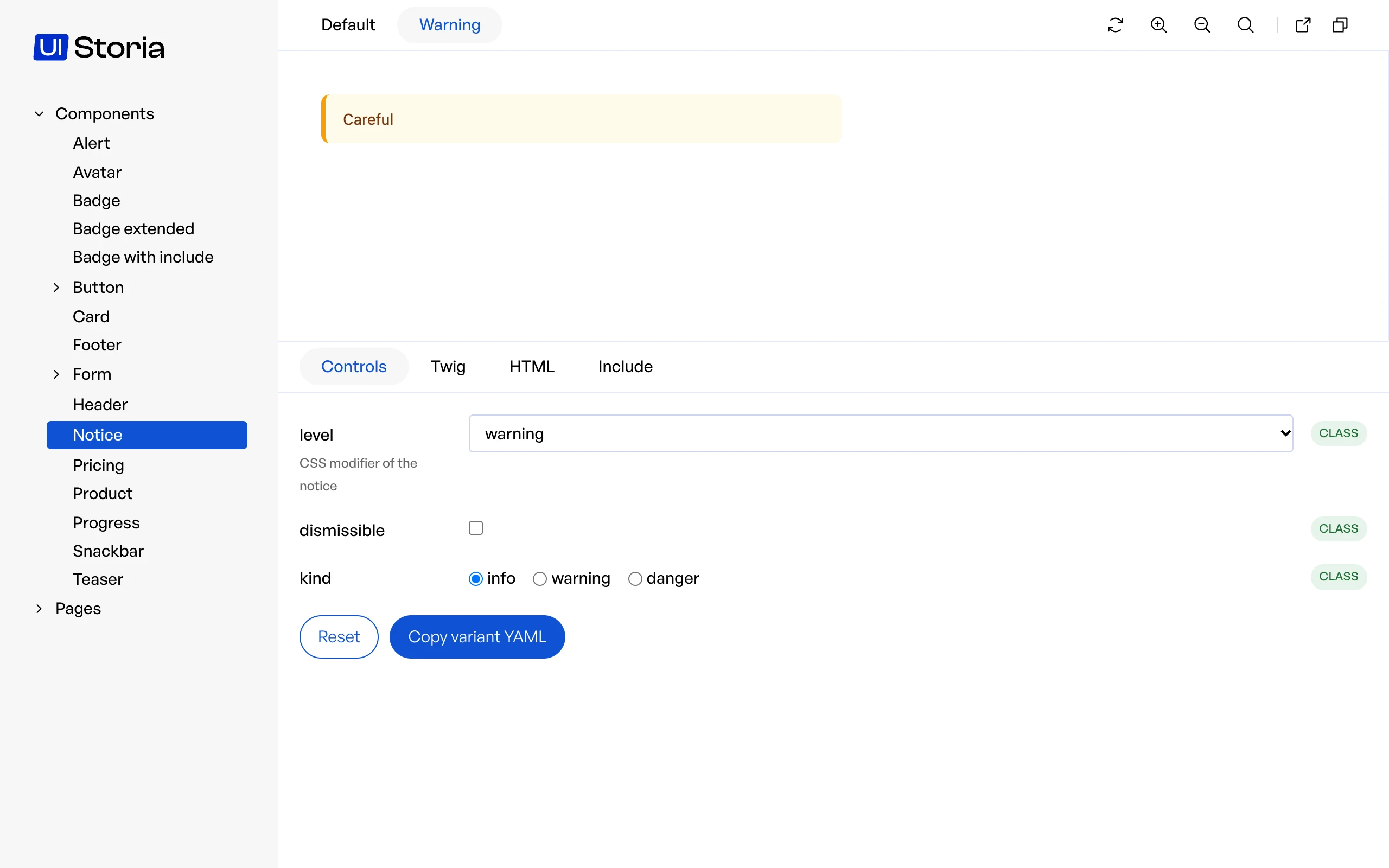
Some controls are read-only: a prop whose default value is a Twig expression, an argument that resolves to a PHP object, or an array too large to be edited by hand. They are displayed with a badge explaining why.
blocks and form types have no controls.
Describing the controls
A documentation comment above a prop gives the control a description, and can pick its widget with @control:
{% props
    ## Title of the card
    title = 'Card title',
    ## Number of items @control range min=0 max=10
    count = 3,
    ## Accent color @control color
    accent = '#0f172a',
    ## Alignment of the content @control radio left|center|right
    align = 'left'
%}
The same comment works in the docblock of a public property or of a mount() parameter of a PHP component, and in the {% types %} tag of a page:
/** CSS modifier of the notice @control select info|warning|danger */
public string $level = 'info';

/**
 * @param int $delay Seconds before the snackbar closes @control range min=1 max=30
 */
public function mount(string $message, int $delay = 5): void
{% types {
## Main message of the page @control textarea
message: 'string',
## Number of columns @control range min=1 max=4
columns?: 'number',
} %}@control accepts text, textarea, color, date, number, range (min, max and step options), select and radio (choices separated by |), checkbox and json.
A widget that does not fit the value, such as a range on a string, is ignored and the control says so.
For an enum, select and radio only pick the widget: the choices stay the cases of the enum.
Documentation comments need Twig 3.29: before that version, a ## comment inside a tag is a syntax error, so only write them once your project runs Twig 3.29 or later. Reading them from {% props %} also needs symfony/ux-twig-component 3.5; with an older version the controls are still deduced, without description nor @control.
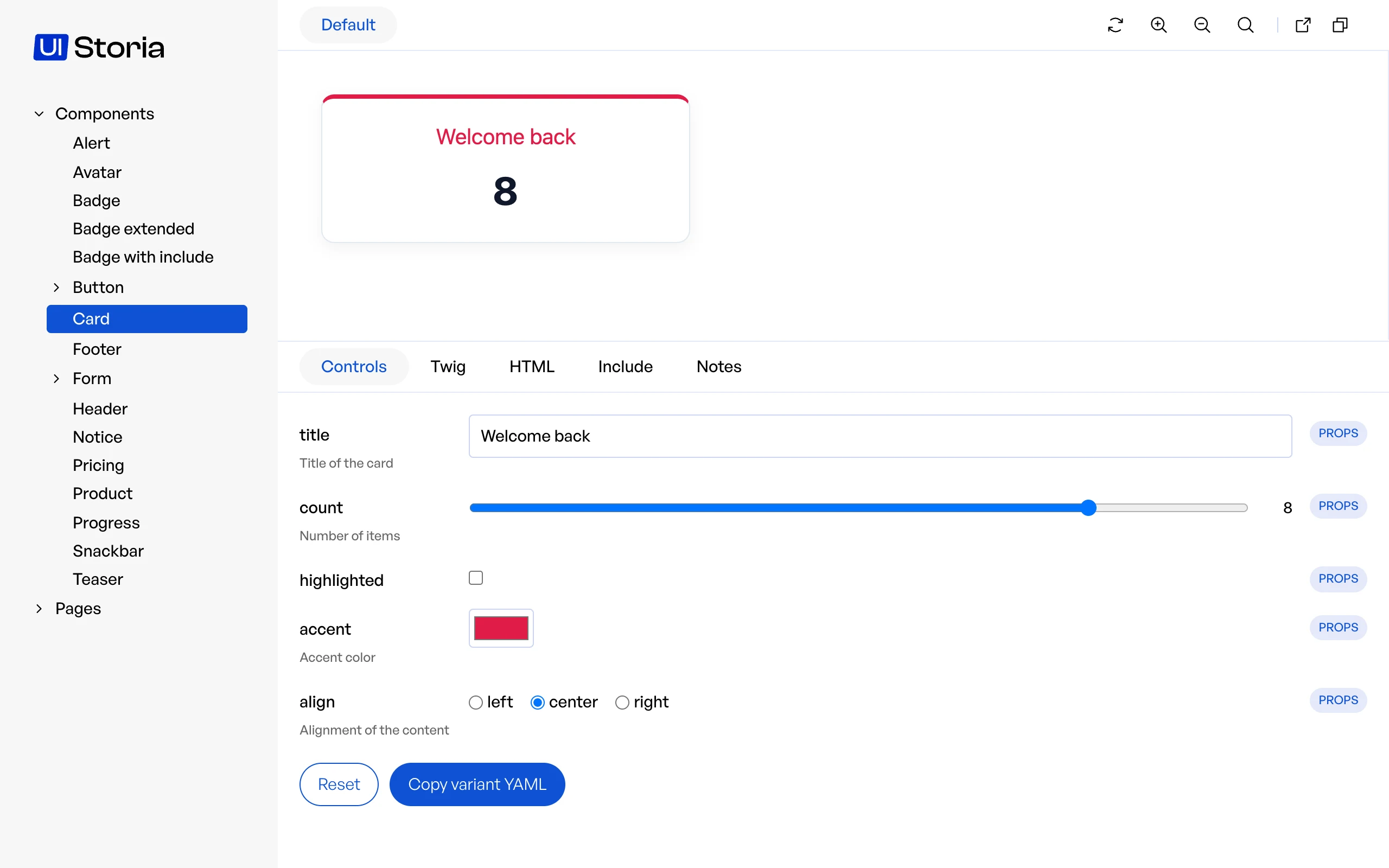
Changes are never written to disk. They are kept in the overrides query parameter of the URL, so reloading the page or sharing the link keeps them, and the Reset button removes them.
To keep a state, click Copy variant YAML and paste the result in your YAML file. Values coming from !data or from a PHP data provider are copied once resolved, as literal values.
Overridden values are always passed as plain data, never as Twig code and never through !data or the argument resolver: a string like App\Foo::bar stays a string.
However, if your template prints an argument with the |raw filter, a crafted link can inject HTML in the preview: only open Storia links you trust.
The static export has no controls: the tab only displays a note explaining that they are not available.