
 Fork on Github
Getting started
In ten minutes you will have a component, three variants and a test, without writing any PHP. You need a Symfony application (6.4 or later) with Symfony UX Twig Component.
1. Install the bundle
Follow the installation steps: require the package, register the routes and create the storia folder. The bundle is enabled in dev and test.
2. Create an anonymous component
An anonymous component is a Twig template in templates/components, without any PHP class:
{# templates/components/Alert.html.twig #}
{% props type = 'info' %}

<div class="alert alert-{{ type }}" role="alert">
    {% block content %}{% endblock %}
</div>
It is the template your integrators write from a mockup, and the one your pages will use: <twig:Alert type="danger">Something went wrong</twig:Alert>.
3. Describe it with variants
Create the YAML file that lists the states of the component:
# storia/components/alert.yaml

component: Alert

variants:
    info:
        blocks:
            content: Your profile has been saved

    warning:
        args:
            type: warning
        blocks:
            content: Your subscription ends tomorrow

    danger:
        args:
            type: danger
        blocks:
            content: Something went wrong
4. See the result
Open /storia/components/alert. You see the three variants as tabs, the rendered component, its Twig code and its HTML. The Controls tab already lets you change type and watch the result, as it comes from the {% props %} of the template.
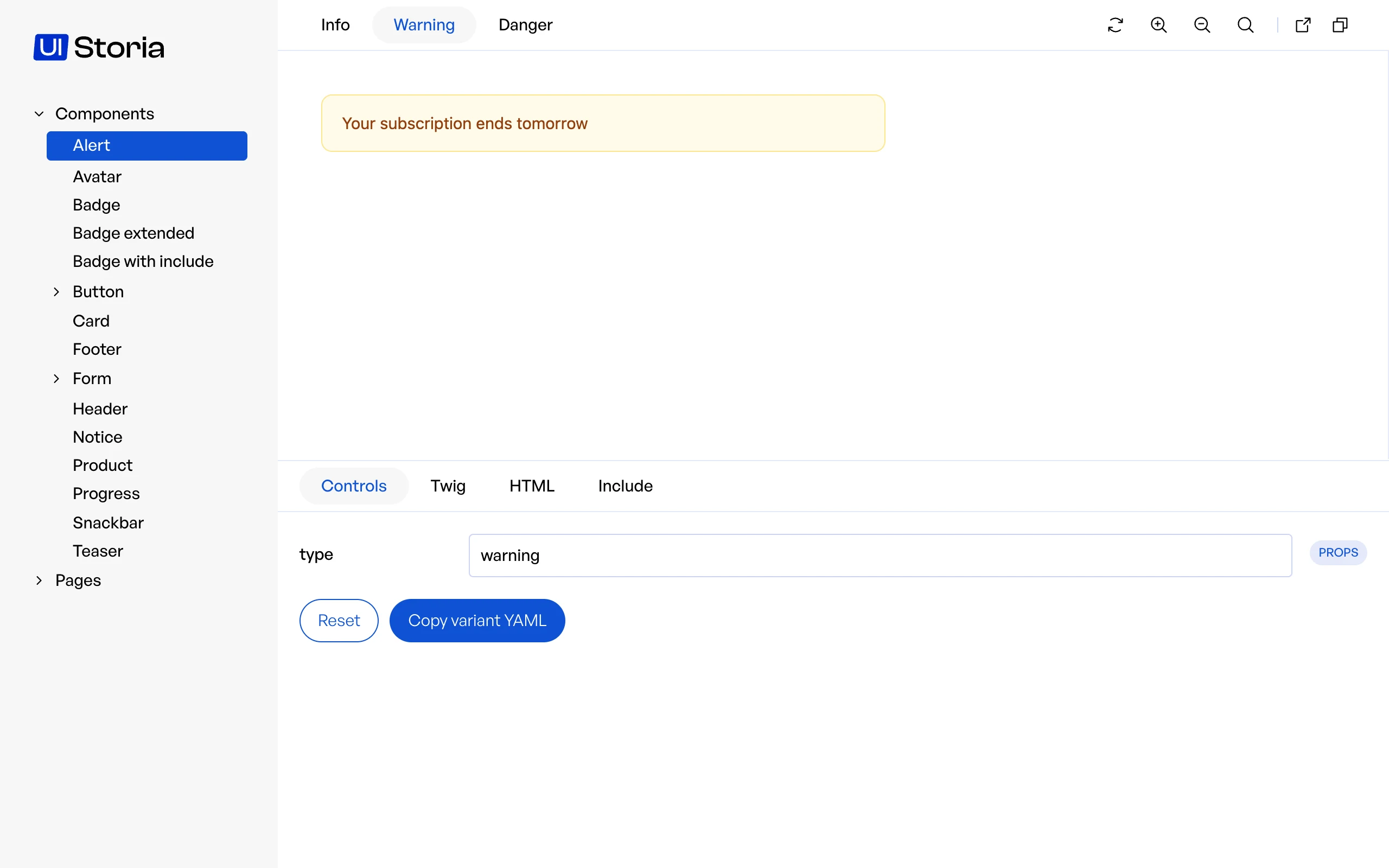
Run bin/console storia:watch to reload the preview when you save a file.
5. Use real-looking data
Replace the hard-coded messages with generated text, so the component is also checked with long content:
        blocks:
            content: !lorem 30
See Data to share data between views.
6. Protect it with a test
bin/console storia:testEvery variant is rendered, and its HTML is saved as a snapshot the first time. Commit the snapshots: from now on, the command fails when a variant cannot be rendered or when its HTML changes by accident. See Testing.
What's next
- Read the workflow to see how integrators and developers work on the same files.
- Learn everything the YAML files accept in Interfaces.
- Publish the catalog with the static export.